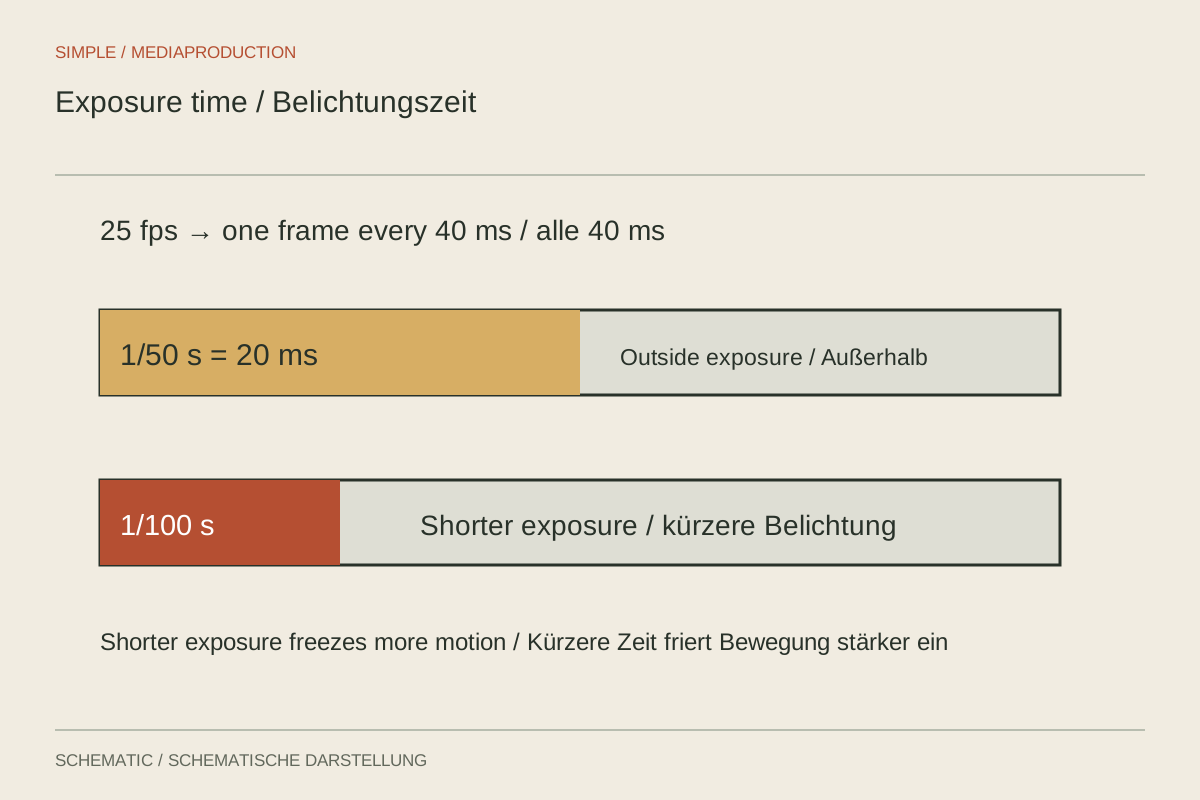
At the same frame rate, a walking person may have softly blurred hands or sharply defined individual positions. Shutter duration often explains the difference. The subject continues moving while each frame is exposed, leaving a trace. That motion blur affects how movement feels during playback. Shutter speed is therefore a creative control, not merely a way to make the picture lighter or darker.
Understand a starting value
A common starting point exposes for approximately half a frame interval. At 25 frames per second that gives 1/50 second; at 50 frames it gives 1/100 second. This relationship is often described as a 180-degree shutter angle. It is not compulsory. It provides an understandable baseline from which to depart deliberately when the scene requires a different result.
A shorter exposure such as 1/250 second at 25p defines fast individual movements more sharply. At normal playback, motion may consequently feel harder or more staccato. Longer exposure produces more smearing. That may be intentional, but small labels on a moving object become harder to read. Judge the setting by the shot's purpose, rather than only by the sharpness of a paused frame.
Do not change motion accidentally to control brightness
In brighter outdoor conditions, automatic exposure may increase shutter speed. The picture remains correctly exposed but renders movement differently from the preceding shaded shot. If consistent motion appearance matters, hold shutter duration and adjust light level, aperture or sensitivity appropriately. A suitable ND filter can provide flexibility in bright conditions without forcing a motion-rendering change.
An intentional departure also needs a reason. If a hand movement is recorded with a very short exposure for analysis, label that purpose. The clip can belong in the same film without looking like an ordinary interview shot. Here the setting follows the required visibility of the action, rather than a general idea of what should look “cinematic.”
Two purposes, two reasonable departures
For an explanation of hand technique, a short exposure may help reveal finger position during fast movement. If the clip will also be slowed, enough genuinely captured frames are still needed; a fast shutter alone creates no additional movement phases. Plan the comparison with capture rate and playback together. A sharp isolated hand position is useful for analysis but does not prove the resulting slow motion will be smooth.
In a quiet conversation, the same short exposure may make every small gesture feel abrupt. A longer baseline may be more comfortable there, provided movements remain understandable. The two recordings need not share a technical value when their purposes differ. They should remain consistent within their respective sequences so the change appears intentional rather than accidental.
Consider later digital stabilisation too. Heavily blurred regions contain less clearly trackable detail, and correction cannot simply remove changing blur traces. If a moving shot must be stabilised, test that complete path beforehand. Adjust capture so both the desired motion appearance and the necessary processing work, rather than assuming post-production will make any shutter choice equally usable.
Compare three exposure times
Film a repeatable movement, such as a hand carrying a tool across a table. Keep frame rate, composition and movement path constant. Compare the baseline with a clearly shorter and a longer exposure within the camera's capabilities. Match brightness using other controls so it does not dominate the judgement or make the brighter example seem automatically preferable.
Watch the files in motion first, then inspect individual frames. Still frames explain the blur trace, but running playback determines the experience. Check for flicker under artificial lighting as well. A theoretically desirable amount of motion blur is not useful if the lamp produces visible brightness bands at that shutter setting. The full combination of camera, movement and lighting may need adjustment.